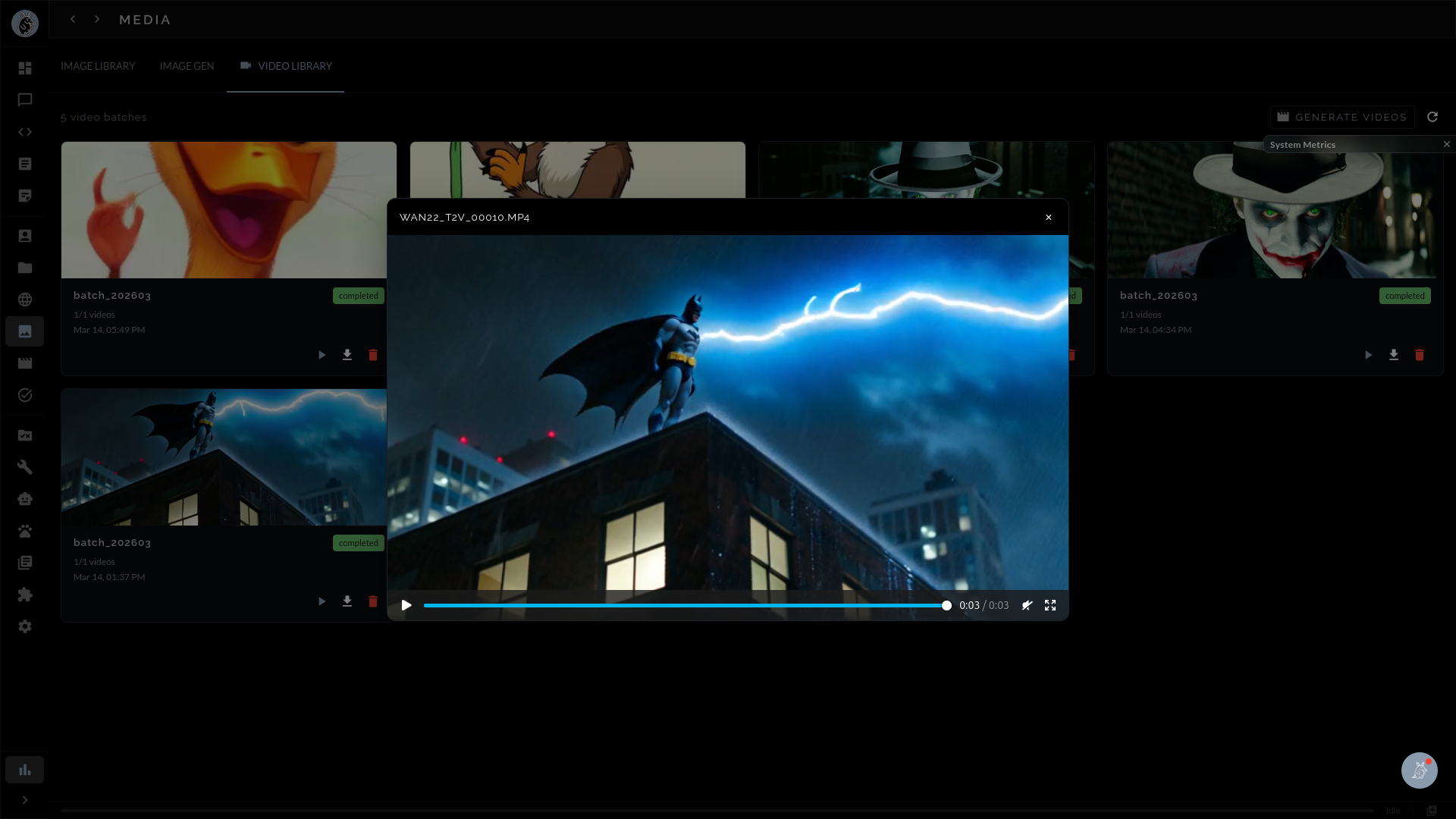
Create video from text prompts or animate still images into motion sequences — entirely on your own hardware. Guaardvark brings local text-to-video and image-to-video generation to your desktop with no cloud APIs, no usage limits, and no data leaving your network.
Guaardvark integrates state-of-the-art video generation models through a tightly orchestrated ComfyUI backend, giving you the ability to produce video clips from nothing more than a written description. The platform ships with support for Wan2.2 14B MoE (Mixture of Experts) and CogVideoX, two of the most capable open-weight text-to-video architectures available today. Both models run entirely on your local GPU hardware — there are no cloud API calls, no per-generation fees, and no artificial caps on how many videos you can create.
The text-to-video workflow is straightforward: type a natural-language description of a scene, select your model and parameters, and let Guaardvark handle the rest. The platform translates your prompt into a sequence of latent frames, decodes them through the model's video VAE, and assembles the result into a playable video file. Because every step happens locally, your prompts, intermediate latents, and finished videos never leave your machine.
Beyond text-to-video, Guaardvark supports image-to-video generation — the ability to take a static image and animate it into a coherent video sequence. Upload a photograph, illustration, or AI-generated image as a conditioning frame, add an optional text prompt describing the desired motion, and the model will produce a video that brings the still image to life. This is particularly useful for animating product shots, concept art, storyboard frames, or any visual that benefits from implied motion.
Image-to-video conditioning uses the same underlying models (Wan2.2 and CogVideoX) but routes the input image through an additional encoder path that preserves visual identity while generating plausible temporal dynamics. The result is a video that respects the composition, color palette, and subject matter of the source image while adding natural movement.
Commercial video generation services charge per second of output, throttle concurrent requests, and route your creative content through third-party servers. Guaardvark eliminates all of that. Once the models are downloaded and cached locally, every generation is free. You can iterate rapidly on prompt variations, batch-generate dozens of clips overnight, or experiment with edge-case prompts that commercial filters would reject — all without worrying about cost or privacy.
Guaardvark's video generation is not a single-model black box. It is a multi-stage pipeline where each step can be configured, swapped, or skipped depending on your quality and performance requirements. The pipeline breaks down into four distinct stages, each handled by a dedicated component.
Choose between Wan2.2 14B MoE for maximum fidelity or CogVideoX for faster iteration. Both models support text-to-video and image-to-video modes with configurable resolution, frame count, and guidance scale.
GPU-accelerated inference produces raw video frames through iterative denoising. The process leverages CUDA kernels optimized for temporal attention, generating coherent motion across the full clip duration.
RIFE (Real-Time Intermediate Flow Estimation) fills in intermediate frames to smooth motion and increase the effective frame rate. This turns a choppy base output into fluid, natural-looking video.
Real-ESRGAN enhances spatial resolution after generation, sharpening details and removing compression artifacts. Upscale 480p base output to 1080p or beyond without re-running the expensive diffusion step.
The first stage is choosing the right model for your task. Wan2.2 14B MoE uses a Mixture-of-Experts architecture that activates only a subset of its 14 billion parameters per inference step, delivering high visual quality with better VRAM efficiency than a dense model of equivalent size. It excels at complex scenes with multiple subjects, realistic lighting, and fine texture detail. CogVideoX, on the other hand, offers a more compact architecture that generates clips faster, making it ideal for rapid prototyping, prompt exploration, and scenarios where turnaround time matters more than peak fidelity.
Once a model is selected, Guaardvark's ComfyUI backend constructs a generation graph that handles noise scheduling, temporal attention, and latent decoding. The diffusion process runs entirely on your GPU using CUDA-accelerated kernels. Depending on your hardware and chosen resolution, a single clip can be generated in minutes rather than hours. The platform exposes key parameters — step count, CFG scale, frame count, resolution — so you can balance quality against generation time.
Raw model output typically produces video at a low base frame rate. RIFE (Real-Time Intermediate Flow Estimation) analyzes optical flow between adjacent frames and synthesizes high-quality intermediate frames to double or quadruple the effective frame rate. The result is smoother camera motion, more natural subject movement, and video that looks professional rather than stuttery. RIFE runs as a lightweight post-processing step that adds minimal time to the overall pipeline.
The final optional stage applies Real-ESRGAN super-resolution to each frame of the generated video. This is especially valuable when the base model outputs at lower resolutions to conserve VRAM — you can generate at 480p for speed and then upscale to 1080p or higher without re-running the diffusion model. Real-ESRGAN restores fine detail, sharpens edges, and removes the softness that often characterizes AI-generated video, producing output suitable for presentation or downstream editing.
Video generation is one of the most GPU-intensive workloads in any AI platform. A single Wan2.2 14B generation can consume the majority of available VRAM on a high-end consumer GPU. Guaardvark addresses this with a dedicated GPU Plugin Manager that treats VRAM as a managed resource rather than leaving allocation to chance.
When Guaardvark starts, it automatically detects all available NVIDIA GPUs, queries their total and available VRAM, and registers them with the central resource manager. Multi-GPU systems are fully supported — the platform can distribute workloads across multiple cards or dedicate specific GPUs to specific tasks (for example, reserving one GPU for LLM inference while another handles video generation).
The GPU Plugin Manager continuously monitors VRAM usage against a configurable budget. Before launching a video generation job, the system checks whether sufficient VRAM is available for the selected model and resolution. If the budget would be exceeded, the manager can automatically unload lower-priority models (such as an idle LLM or image generation model) to free memory, or it can queue the job until resources become available. This prevents out-of-memory (OOM) crashes that would otherwise interrupt your workflow.
Loading a 14-billion-parameter model into VRAM takes time. Guaardvark minimizes this overhead through intelligent caching: frequently used models remain loaded when VRAM permits, and the platform pre-loads models when it detects a likely upcoming task. When a model must be unloaded, its state is checkpointed so that reloading is faster on subsequent runs. This coordination layer is what allows video generation, image generation, and LLM inference to coexist on the same GPU without constant thrashing.
Because Guaardvark is a multi-modal platform, your GPU is often shared between video generation, image generation (Stable Diffusion), LLM inference, and voice processing. The GPU Plugin Manager acts as a scheduler that prevents these tasks from competing destructively for VRAM. Priority rules, configurable per-task budgets, and automatic model eviction ensure that a video generation job does not crash your active chat session, and vice versa.
Generating a single video clip is useful, but real creative workflows demand volume. Guaardvark's batch processing system lets you queue multiple video generation jobs, walk away, and return to a collection of finished clips. The system is built on Celery with a Redis message broker, the same battle-tested stack used in production web applications handling millions of tasks per day.
Each video generation request is submitted as an asynchronous task to the Celery queue. Tasks include all necessary metadata — prompt, model selection, resolution, frame count, post-processing options — so the worker can execute the job independently. Redis acts as the message broker, ensuring reliable delivery even if the web interface is closed or refreshed during generation. Failed jobs are automatically retried with configurable backoff intervals.
The Guaardvark web interface provides real-time progress tracking for all queued and active video generation jobs. You can see which job is currently generating, how many denoising steps have completed, estimated time remaining, and a thumbnail preview of intermediate frames. Completed videos appear in your generation history with full metadata, making it easy to compare results across different prompts or model settings.
Because video generation runs as a background task, you are free to use every other feature of Guaardvark while clips are being produced. Chat with your AI agents, run RAG searches, generate images, or review code — all while your video queue processes in the background. The GPU Plugin Manager ensures that background video tasks gracefully yield resources when a foreground task requires immediate GPU access, then resume automatically when the GPU is idle again.
Guaardvark is under active development. Sign up for early access or explore the source on GitHub.